

Documents
Your building manager can share documents with co-owners through the Documents section. This allows you to access important building documents such as meeting minutes, building rules, insurance information, and other relevant files.
What You Can Do
Your building manager shares folders with you; what you can reach depends on which folders have been shared.
As a co-owner, you can:
- View the files and folders shared with you
- Preview files in your browser
- Download files to your device
- Navigate through folder structures
You cannot upload, create, rename, move or delete anything, and you cannot change sharing settings.
Accessing Files
To view documents shared with you:
- Click on Documents in the left navigation menu
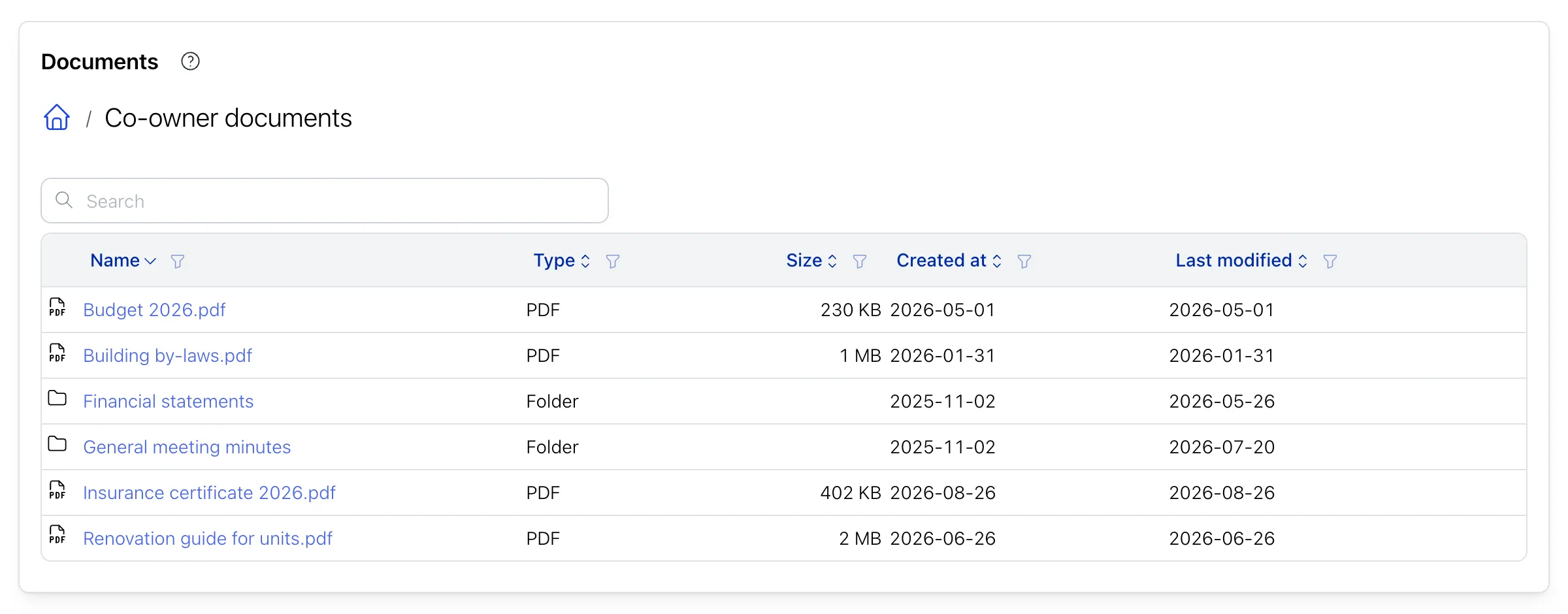
- Browse the folders and files that have been shared with co-owners.
Browsing Folders
Documents are organized in folders to help you find what you need. Click on a folder to open it and view its contents. Use the breadcrumb navigation at the top to move back to parent folders. Folders may contain subfolders for further organization.
Viewing Files
To view a document:
- Click on the file name
- The file will open in a preview window
The system can preview many types of files directly in your browser:
- Images
- PDFs
- Videos and Audio
- Word documents (.docx) and presentations (.pptx)
- Spreadsheets (Excel, OpenDocument, CSV)
- Text Files
- Email Files
Downloading Files
To save a copy of a file to your device:
- Open the file preview
- Look for the download button (at the top right of the preview)
- Click download
- The file will be saved to your device’s download folder